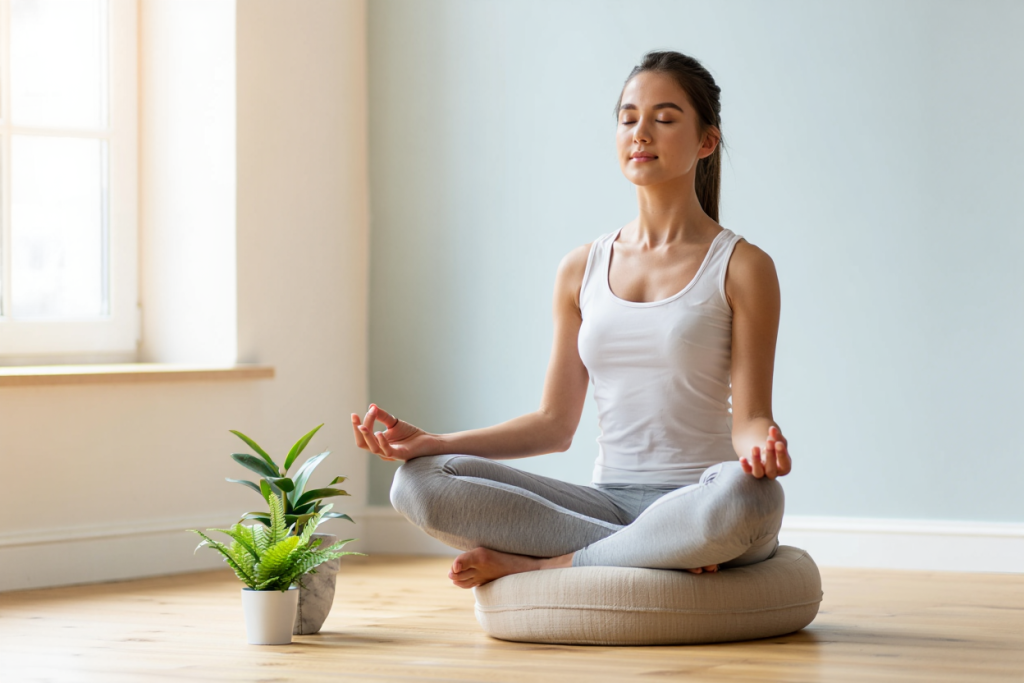
A woman is seen meditating quietly in a calm room, following a guided breathing exercise. The Google breathing exercise is a simple, built-in 1-minute guided breathing tool designed to help users pause, refocus, and relieve stress. Available directly in Google Search, this free “mindfulness feature” appears when you search terms like “breathing exercise” or “deep breathing,” guiding you through a calm inhale-and-exhale cycle. In just 60 seconds, it can help reset your mind and reduce tension during a busy day.
Breathing exercises are scientifically proven to improve relaxation. Studies show that even brief, mindful breathing breaks can boost mental clarity and reduce anxiety. For example, Stanford Medicine researchers found that just five minutes of daily breathing practice significantly lowered anxiety and improved mood. The Google breathing exercise harnesses this power in an ultra-short format – just one minute of guided breathwork to activate your body’s calm response. By focusing on the on-screen visual and slowing your breathing, you engage the parasympathetic (rest-and-digest) system, signaling your body to relax and de-stress.
What Is the Google Breathing Exercise?
Google’s breathing exercise is not a separate app, but a feature integrated into Google’s services. When you search “breathing exercise” on Google Search, an interactive breathing timer appears at the top of the results. You’ll see a pulsating circle or animation that expands and contracts with each inhale and exhale. This “easter egg” tool encourages you to breathe slowly and mindfully for one minute. Google quietly introduced this feature in mid-2018, and it works on desktop and mobile browsers in many languages.
In addition to the Search feature, Google also offers guided breathing in its Google Fit app (the Google-branded health/fitness app). On Wear OS smartwatches (and some phones), there’s a built-in Breathe function that guides a longer breath session. In short, Google provides two ways to practice mindful breathing: the quick one-minute exercise on Google Search, and the fitnesstracker-guided breathing on Wear OS devices. Both are free and require no special download (the Search tool runs online, and the Fit breathing guide is included in Wear OS updates).
How to Use the Google Breathing Exercise
Using Google’s breathing exercise is straightforward and requires no app installation. Simply follow these steps:
- Open Google Search on any device (phone, tablet, PC, or Chromebook).
- Type “breathing exercise” into the search bar.
- Click “Start a 1-minute breathing exercise”. The search results will display a card with a button labeled “Start a 1-minute breathing exercise”.
- Follow the on-screen guide. A large pulsing circle or animation appears. Inhale as the circle expands and exhale as it contracts. Continue breathing along with the circle’s rhythm.
- Complete the session. After one minute, the exercise will automatically end. You may see an option to share or repeat the exercise. Take a moment to notice how you feel — often even a brief pause leaves you more centered.
For example, the Gassho meditation blog outlines these steps clearly: open Google, type “breathing exercise,” click the start button, and then breathe following the circle. Because it’s a Google Search feature, it works instantly – no signup or additional software needed. You can even speak to Google Assistant on your phone or Chromebook, saying “Hey Google, breathing exercise” to launch it hands-free.
Devices and Accessibility
One of the strengths of the Google breathing exercise is its universal accessibility. Since it runs in Google Search, it works online on any device with a browser. You can use it on:
- Smartphones and tablets: Open the Google app or browser and search “breathing exercise.”
- Desktop computers and laptops: Any browser (Chrome, Firefox, Edge, Safari, etc.) on Windows, macOS or Linux can run it.
- Chromebooks: As long as you can access Google Search, the breathing exercise will appear on Chrome OS devices.
- Smartwatches (Wear OS): If you have a Wear OS watch (e.g. Google Pixel Watch, Samsung Galaxy Watch), open the Google Fit Breathe app to do a similar guided breathing exercise.
- Online integrations: In fact, there are also free online breathing timers and Chrome extensions (like “Breathing Exercise Reminder”) that offer guided breath sessions in your browser. But with Google’s built-in tool, you don’t need any add-ons – just search in Google.
In short, whether you’re on a phone, Chromebook, or desktop, the Google breathing exercise is just a quick search away. This makes it highly convenient to use whenever you need a moment of calm.
Benefits for Stress Relief
Controlled breathing has well-documented health benefits, and Google’s breathing exercise taps into all of them to help relieve stress and boost mindfulness. Key benefits include:
- Reduced Stress and Anxiety: Focusing on slow, deep breaths activates the body’s relaxation response. Scientific sources note that breathing exercises can significantly alleviate stress and anxiety. By tricking your brain into a calmer state, these exercises lower stress hormones like cortisol.
- Improved Mood and Focus: Even short breathing breaks can clear mental fog. As Stanford researchers found, practicing breathing exercises for just a few minutes a day led to measurable decreases in anxiety and increases in positive mood. The Google breathing exercise may not be a cure-all, but even its one-minute session can leave you a bit more centered and alert afterward.
- Better Heart Rate Variability (HRV): Slow, paced breathing balances the autonomic nervous system. Research from Stanford’s Huberman Lab and other labs shows that guided breathing (even one minute) improves HRV. This means your body more easily shifts into a calm, parasympathetic state, lowering heart rate and blood pressure.
- Enhanced Mindfulness: The exercise literally asks you to pay attention to your breath. Mindfulness (being present in the moment) is known to improve overall well-being. By following the animation and feeling each inhale and exhale, you practice mindfulness without any need for fancy meditation techniques.
- Quick and Convenient: Unlike longer meditations or workouts, Google’s breathing exercise takes only 60 seconds. This “one-minute breather” can be exactly what someone needs during a hectic day. Because it’s so brief, you’re more likely to do it consistently – and that consistency can build a simple habit of stress management.
Regularly practicing the Google breathing exercise can turn it into a powerful daily habit. A person performing yoga or focused breathing at sunrise illustrates how even a short mindfulness break can set a calm tone for the day. By taking this tiny pause, you give your nervous system a reminder to unwind.
How to Use Google Fit’s “Breathe” App (Wear OS)
If you have a Wear OS smartwatch (like a Google Pixel Watch or a Samsung Galaxy Watch running Wear OS), you can also try Google’s built-in Breathe app for longer sessions. In 2018 Google announced that their Fit app would “guide you through a breathing exercise to help you unwind and relax”. To use this feature on your watch:
- Open the list of apps on your Wear OS watch and select Fit Breathe. (You may have to scroll to find it.)
- Follow the on-screen breathing animation. The watch will guide you through a series of inhales and exhales, often for a few minutes.
- When you finish, the watch shows a summary of your session (like heart rate or breathing rate). The Google Fit app on your phone can also show weekly summaries of your breathing sessions.
This smartwatch feature is essentially Google’s own app approach to breathing exercises. It is especially convenient if you wear your watch throughout the day – it can even give you reminders to take a moment to breathe. Whether you use the one-minute Google Search exercise or the longer Google Fit Breathe on a watch, the idea is the same: a simple guided breath routine to help reduce stress and improve concentration.
Tips for Incorporating Breathing Breaks
To get the most out of the Google breathing exercise, try incorporating it into your daily routine. Here are some practical tips:
- Right after waking up: Spend a minute focusing on deep breaths before jumping into your day. This can help set a calm tone.
- During work or study breaks: Instead of doomscrolling, use a quick breather. Google’s exercise only takes 60 seconds, but that break can refresh your focus.
- Before stressful tasks: When you feel tension rising (like before a meeting or presentation), do the breathing exercise to ground yourself.
- Before bed or after night chores: A minute of deep breathing can help quiet the mind for better sleep. One commenter on a mindfulness forum even suggests a short breathing practice to “ease racing thoughts” before bed.
- Combine with other relaxations: You might close your eyes, play soft music, or place your hand on your belly to feel your breath. The Google breathing tool will guide the timing, but you can personalize the environment for extra calm.
Some breathing guides advise specific timing routines. For example, the Gassho meditation blog recommends using guided breathing right after waking, on lunch breaks, or before sleep for best results. The key is consistency: try to do the exercise at least once a day. Because it’s so quick, you can use it even during a short break or transition.
Frequently Asked Questions
What is the Google breathing exercise? The Google breathing exercise is a free, one-minute guided breathwork tool built into Google’s services. If you search for “breathing exercise” or “deep breathing” in Google Search, a special interactive card appears that leads you through a timed inhale-exhale routine. It’s essentially a guided mindfulness break that anyone can access instantly.
How do I start the Google breathing exercise? Simply open Google (on any device) and type “breathing exercise”. In the search results, click the button that says “Start a 1-minute breathing exercise”. A large pulsing circle will appear. Follow its animation: breathe in as it grows and breathe out as it shrinks. After one minute, the exercise ends. No login or downloads are needed – it’s all online in the Google search page.
Is there a Google breathing exercise app? Google doesn’t have a standalone “Google Breathing” app, but it does include breathing exercises in Google Fit. On Wear OS watches (and Pixel phones), the Google Fit Breathe app will guide longer breathing sessions. For the quick one-minute tool, you just use Google Search in your browser or Google app – no separate download is required.
Can the Google breathing exercise really help reduce stress? Yes, guided breathing is a proven stress-relief technique. By slowing your breathing and focusing on each inhale and exhale, you activate relaxation responses in your body. Research has shown that mindful breathing can reduce stress and anxiety. While Google’s tool is short, even a one-minute breather can interrupt stress patterns. As one source noted, “a one-minute breather may be exactly what someone needs” when feeling overwhelmed. Think of it as a quick reset – it won’t fix everything, but it can give you a calmer mindset to tackle challenges.
How long is the Google breathing exercise? The built-in Google breathing exercise runs for 60 seconds (one minute). It’s intentionally brief to make it easy to do anywhere. The search card literally says “Start a 1-minute breathing exercise,” and the animation completes after one minute. For longer sessions, you can repeat the exercise or use Google Fit’s breathing feature on a smartwatch.
Which devices support the Google breathing exercise? Any device with Google Search supports it. You can use a smartphone (Android or iPhone), tablet, laptop, desktop, or Chromebook – anywhere you can access Google on the web. For example, on a Chromebook you just open Chrome and search for “breathing exercise.” It will work just like on any computer. If you have a Wear OS watch, the Google Fit app’s Breathe feature offers an additional way to practice breathing exercise. No special hardware or premium account is needed – it’s completely free and accessible online.
Conclusion
The Google breathing exercise is a convenient, quick stress-relief tool built right into your search engine. In just one minute, it leads you through a simple breathing routine that taps into the proven benefits of mindful breathwork. Whether you use it on your phone, laptop, or Wear OS watch, it’s a free, easy way to “stop and take a deep breath” during a hectic day.
Give it a try next time you feel overwhelmed: simply search for “breathing exercise” on Google and follow along. You might be surprised how even 60 seconds of focused breathing can clear your head. If you found this guide helpful, feel free to share it with friends or colleagues and help them discover this tool. Let us know in the comments how the Google breathing exercise worked for you, or if you have any tips of your own. Remember, sometimes a one-minute breather may be exactly what someone needs. Take a breath, share this, and be well.