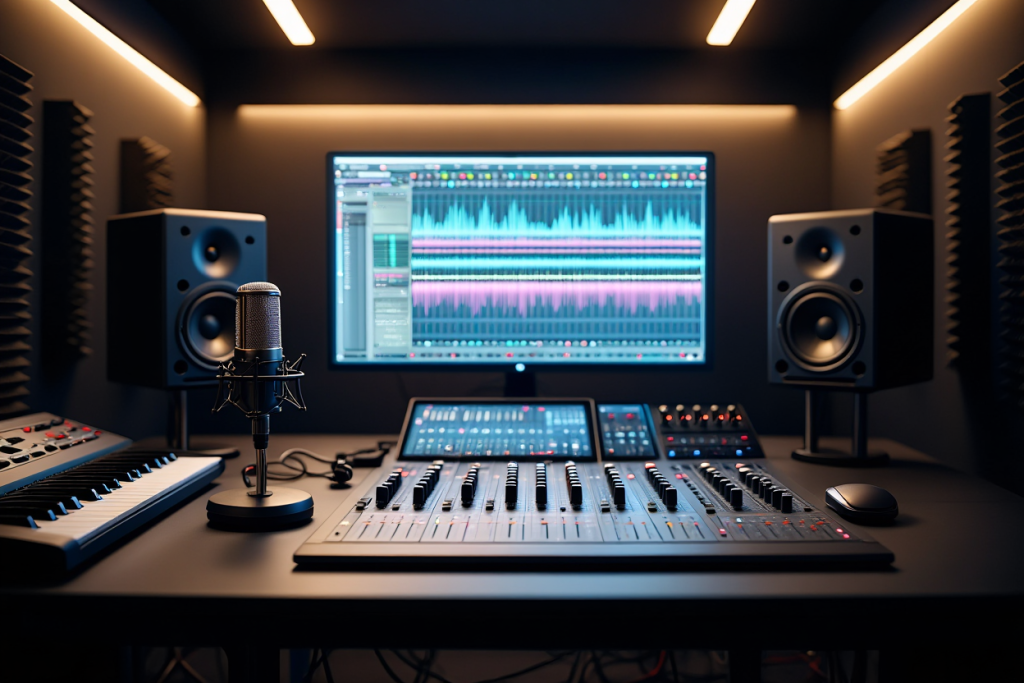
Pro Tools is a professional digital audio workstation (DAW) by Avid for Windows and Mac. It is widely used for music creation, sound design, and audio post-production. As one of the industry standards, it was inducted into the TECnology Hall of Fame in 2004. (Pro Tools was originally created by Digidesign founders Evan Brooks and Peter Gotcher in the 1980s, with the first version launching in 1991.) The latest version (2026.10.1) was released in November 2026, showing Avid’s continual updates.
A DAW (Digital Audio Workstation) is software for recording and editing music on a computer – other examples include Ableton Live, FL Studio, Cubase, and Logic Pro. What sets Pro Tools apart is its focus on high-track-count recording and mixing in professional studios. With Pro Tools, producers have access to powerful recording, editing, and mixing tools to produce music like a pro. In this guide, we will cover how to download and install Pro Tools, explain its different editions (from free Intro to Ultimate), discuss system requirements, explore its key features and plugins, and compare Pro Tools to other DAWs. By the end, you’ll be ready to start making pro-quality music with Pro Tools.
What is Pro Tools?
Pro Tools is a full-featured music production program that lets you record, edit, and mix multiple tracks. It functions like a virtual recording studio: you can capture performances (audio or MIDI), organize tracks on a timeline, apply effects and automation, and mix down a final song. It runs on Windows and Mac and supports high-resolution audio (up to 192 kHz) for professional fidelity. You can use it for songwriting, live band recording, film scoring, podcast editing, or any audio project. Key features include:
- Multitrack Recording & Editing: Record many tracks at once (e.g. vocals, guitar, drums) and then splice and comp the best takes. It supports non-linear editing and MIDI/audio quantization. You can also use playlists to keep alternate takes on the same track and quickly compile a final take from multiple recordings.
- Powerful Mixer & Automation: The software’s mixer resembles a hardware console with faders, inserts, and sends. You can automate almost any parameter (volume, pan, plugin controls, etc.) over time for dynamic mixes. Pro Tools also supports VCA masters and track folders for grouping; this makes it easier to manage complex sessions with many channels.
- Instruments & Effects: Pro Tools includes a variety of virtual instruments (synths, drums, samplers) and effects (EQs, compressors, reverbs, delays, modulation, etc.). Even the free Intro version ships with dozens of built-in sounds and plugins (around 60 instruments and 75 effects, per some sources). For example, it provides drum machines, pianos, and modulations right out of the box. The AAX plugin format powers these, and many third-party AAX/VST/AU plugins (Waves, Slate, Native Instruments, etc.) can also be used.
- Audio/Video Support: It can handle audio, MIDI, and even video tracks in the same session. You can import a video clip and do dialogue editing or scoring directly on the timeline. Pro Tools supports 16-, 24-, or 32-bit (float) audio at up to 192 kHz. The higher-tier editions (Studio/Ultimate) add support for surround mixing and Dolby Atmos for film and game audio.
- Hardware Integration: It works with common USB/Thunderbolt audio interfaces and Avid’s own HDX DSP hardware for extra processing power. It uses the iLok system for licenses (the software will prompt you to activate via Avid Link or the iLok License Manager). Many studios run Pro Tools with Avid control surfaces or mixing consoles for hands-on control.
- Session Files: Pro Tools saves your project as a session file and places all audio files in a “MediaFiles” folder. Editing is non-destructive: the original audio (WAV/AIFF) remains untouched, while the software applies edits as metadata. This makes it easy to manage projects without altering source recordings.
Because of its capabilities, Pro Tools has become a staple in professional studios and post-production facilities. Yet with the free Intro edition, beginners and hobbyists can also start producing music without a big investment.
Pro Tools Editions: From Intro to Ultimate
Avid now offers several editions of its software to fit different needs and budgets. The key versions are:
- Intro (Free): Ideal for complete beginners. This edition is free forever and lets you record up to 8 audio tracks and 8 MIDI tracks. It includes 36 built-in effects and instrument plugins and supports up to 4 simultaneous inputs. For small projects and learning the basics, Intro is perfect. (Avid notes that “Pro Tools Intro is free forever, removing financial barriers”.) Note: Intro lacks advanced features like large track counts, surround mixing, or multi-system projects.
- Artist: The first paid tier (around $9.99/month). Artist supports up to 32 audio tracks, 64 MIDI tracks, and 16 inputs. It comes with a larger plugin bundle (around 100 instruments/effects) and more editing capabilities (e.g. elastic audio). This edition is aimed at home studios and independent producers who need more flexibility.
- Studio: A mid-tier subscription (about $39.99/month). Studio supports up to 512 audio tracks and 64 inputs. It adds full surround (up to 7.1.2) and Dolby Atmos mixing, plus advanced features like integrated video editing and ARA2 support for tools like Melodyne. Studio is common in serious project studios and indie production houses.
- Ultimate: The highest-end edition (around $99.99/month). Ultimate (formerly called Pro Tools | Ultimate) supports up to 2,048 audio tracks, 1,024 aux and MIDI tracks, and 512 instrument tracks. It also includes 64 video tracks and the full suite of post-production workflows (Dolby Atmos, Ambisonics, etc.). Ultimate is used for large-scale productions (film scoring, broadcast, orchestras) and comes with the most extensive plugin collections.
Each higher tier includes all the features of the lower tiers plus more advanced tools. For example, you can start with Intro to learn the basics and then upgrade to Artist or Studio when you need extra tracks. Avid also sells perpetual (one-time) licenses for Ultimate, but subscriptions now include all the latest updates.
Getting Started: Download and Installation
Installing Pro Tools is straightforward if you follow these steps:
- Create Accounts: Register a free account on the Avid website. Avid uses an iLok licensing system, so sign up for an iLok account as well (this is also free). You can use iLok Cloud (no USB dongle needed) which is supported by all modern editions.
- Check Requirements: Make sure your computer meets the software’s requirements (see below). Update your OS if needed (Windows 10/11 or macOS 10.14+). For best performance, install the latest drivers for your audio interface and any Avid hardware.
- Download: Log in to Avid’s site and go to the Pro Tools download section. Select the edition you want (Intro is free) and download the installer. Always use the official Avid site to get a legitimate copy.
- Install: Run the downloaded installer. On Windows, follow the setup wizard. On Mac, open the installer package and let it copy Pro Tools to your Applications. Accept the license agreement and choose default install options.
- Activate: After installation, launch the application. It will prompt you to sign in via Avid Link or iLok. Use your Avid/iLok credentials to activate your license (or the free Intro license). Avid Link is also the hub for managing your subscriptions and downloads.
- Set Up Audio I/O: In the software, go to Setup > Playback Engine and choose your audio interface. This tells Pro Tools which audio inputs/outputs to use. If you have multiple interfaces or a hardware mixer, set them up here.
- Create a Session: Go to File > New Session. Name your project, set a sample rate (e.g. 44.1 kHz) and bit depth (e.g. 24-bit), and save it. You’re now ready to record or import audio into tracks.
For more guidance, check Avid’s official documentation and video tutorials. Once installed, you’ll recognize the familiar two-window interface of Pro Tools – an Edit window (for arranging tracks on a timeline) and a Mix window (with channel strips). Spend some time exploring these to get comfortable.
System Requirements
Pro Tools requires a reasonably powerful computer. Here are the essential specs:
- OS: Windows 10/11 (64-bit) or macOS 10.14 (Mojave) or later. Always check Avid’s website for the latest supported OS versions.
- RAM: At least 4 GB of RAM (8 GB or more recommended). Large sessions with many tracks and plugins will need extra memory.
- Disk Space: Around 15 GB of free space for the installer and standard sound libraries. You’ll need additional space for your own audio files – using a separate SSD for recording is ideal.
- CPU: A recent multi-core processor (for example, an Intel Core i5/i7 or an AMD Ryzen 5/7). A faster CPU lets you run more plugins and tracks. For example, using an i7/AMD Ryzen-7 CPU and an SSD will significantly improve performance on large sessions.
- Audio Interface: You don’t need a fancy interface to try Pro Tools (it can run on your computer’s built-in sound), but using a dedicated USB/Thunderbolt interface is strongly recommended. A good interface provides low-latency monitoring and higher-quality converters for recording.
- iLok/License: No dongle is required if you use iLok Cloud licensing. If you have an old iLok 2/3 key, Pro Tools will also recognize it. Just use the iLok License Manager (or Avid Link) to activate the software.
Meeting or exceeding these specs will ensure smooth performance, especially with large projects. (For example, Avid’s 2026.10 release notes recommend 16 GB RAM and a fast SSD for complex sessions.)
Features & Plugins
Pro Tools comes loaded with professional features and a vast plugin library:
- Stock Plugins: The DAW includes high-quality built-in plugins for common tasks (EQ, compression, reverb, delay, modulation, etc.). Even the free Intro edition has 36 effects and instruments. The Studio/Ultimate editions include additional premium plugins that emulate classic analog gear (Focusrite preamps, Pultec EQs, Fairchild compressors, etc.). In other words, Pro Tools provides everything from virtual pianos and drum machines to studio effects right out of the box.
- Third-Party Support: It natively uses the AAX plugin format, and many developers provide AAX versions of their tools. You can also run VST/AU plugins via wrappers. There are hundreds of free AAX-compatible plugins online for adding more instruments and effects.
- Mixing & Automation: The mixer supports flexible routing, buses, and sends. You can automate almost any parameter (volume, pan, plugin controls) over time. Pro Tools includes advanced editing features: for example, Beat Detective can fix timing issues on drum or instrument tracks, and Clip Gain lets you adjust levels quickly on clips without plugins.
- Elastic Audio & MIDI: Pro Tools can stretch audio to match a tempo or change pitch. Its Elastic Audio feature lets you adjust timing or tuning of recorded tracks without re-recording. It also offers comprehensive MIDI editing (piano roll, quantize, step input) and can convert MIDI to audio. These tools make editing performances easy. (Pro Tools also supports ARA2 integration for seamless use of pitch-correction plugins like Melodyne.)
- Surround & Atmos: With the Studio or Ultimate edition, you get full surround mixing (up to 7.1.2) and Dolby Atmos support. This allows you to create immersive mixes for film, games, and VR. You can assign panners and objects in 3D space, etc.
- Video Integration: Pro Tools can import video files (QuickTime MOV, MXF, etc.) and provides frame-accurate video playback. This is essential for post-production. You can edit dialogue, add sound effects, or score music in sync with the picture. Timecode and tempo-sync ensure audio stays locked to the video timeline.
- Collaboration: Avid Cloud Collaboration lets multiple users share and work on the same session online. Even teams on different Pro Tools editions can upload tracks and edits to a shared project. (For example, a writer in one city can send audio files to a mixer in another.)
- Interchange Formats: Pro Tools supports import/export of industry-standard formats like AAF/OMF. This means you can easily exchange audio, edits, and automation with other DAWs or video editing suites, facilitating collaboration between studios.
- Workflow Enhancements: Many features speed up your workflow. Clip Gain allows quick volume adjustments; the Smart Tool mode lets you trim and fade clips with one cursor. You can create folder tracks to group multiple channels (e.g. all drum tracks), and use VCA faders to control groups of channels together. Pro Tools also has unlimited Undo/Redo for nearly all actions, so you can experiment without fear.
In short, Pro Tools has everything you need to handle projects from a simple podcast to a full movie score. It has been used on countless hit records and award-winning films, earning its reputation in the studio world.
Pro Tools vs Logic Pro X
Many musicians compare Pro Tools to other DAWs. Here’s how Pro Tools stacks up against Apple’s Logic Pro X:
- Platform: Pro Tools runs on both Windows and Mac, while Logic Pro X runs only on Mac. If you use Windows, Pro Tools (or another PC-friendly DAW) is the choice.
- Pricing: Pro Tools uses subscription tiers (with a free Intro option) and optional perpetual licenses. Logic Pro X is a one-time purchase ($199) from the Mac App Store. Logic’s single payment can be cheaper in the long run, but remember Pro Tools Intro lets you try professional workflows free.
- Workflow & Target Users: Pro Tools is the standard in professional recording studios, broadcast, and post-production. Logic Pro X is popular with independent musicians and composers, especially those focusing on MIDI and software instruments. Many reviews say Logic has an easier learning curve and rich sound library, while Pro Tools excels in handling large audio recordings and integrating with studio hardware.
- Features: Both are powerful. Pro Tools offers tight integration with hardware (mixing consoles, control surfaces) and advanced audio editing. Logic has a vast loop library, built-in synths, and deep MIDI composition tools. In practice, some producers use both: for example, sketch ideas in Logic, then move tracks to Pro Tools for recording live instruments and final mixing. The best DAW often depends on your workflow and the collaborators you work with.
Neither DAW is categorically “better” than the other; they each have strengths. Pro Tools is highly recommended if you plan to work in a professional studio or do film/TV audio, whereas Logic is a superb all-rounder for Mac users on a budget.
Pro Tools for Beginners
Even though Pro Tools is used by pros, beginners can start with it too:
- Free Version: As mentioned, Pro Tools Intro is completely free. It includes all the basic recording and mixing tools (up to 8 audio/MIDI tracks and 36 plugins) at no cost. Avid explicitly notes that “Pro Tools Intro is free forever, removing financial barriers”. This means you can learn the software without any expense.
- Tutorials: There are many free tutorials online. For example, the site Production Expert (Pro Tools Expert) has hundreds of video lessons covering recording, editing, mixing and more. Avid’s official YouTube channel also has beginner guides. Searching “Pro Tools tutorial for beginners” will yield step-by-step videos on virtually any topic.
- Practice Projects: Start with simple recordings. For example, record yourself singing with a guitar, then try mixing those two tracks. Experiment with adding a virtual drum loop or bass line. You’ll learn faster by doing. Many tutorials use hands-on projects to teach basics.
- Use Samples & Templates: Pro Tools includes demo sessions and loops. For instance, Intro comes with Apple Loops and sample projects – drag these into a session to practice arranging. Also, use session templates: save a custom session (with your favorite tracks and effects) as a template so you can start new projects quickly.
- Community Support: Don’t hesitate to ask for help. Avid’s forums and subreddits like /r/protools have active users answering questions. Many beginners share session files, tips, and templates online. Engaging with the community can accelerate your learning.
- Shortcuts & Workflow: Learn a few basic shortcuts and tips. For example, R/T zooms, Command+E splits a clip, and F6-F8 toggles Edit/Mix windows. Also explore the Workspace browser (for loops) and remember that Pro Tools’ Edit and Mix windows can be shown side-by-side. Little habits like these save time.
By using the free Intro version and taking it step by step, beginners can become proficient. The key is to practice consistently and make use of the abundant learning resources.
Conclusion
Pro Tools is a comprehensive audio production suite that provides everything musicians and audio engineers need to create high-quality recordings. In this guide, we covered how to obtain and install Pro Tools (including the free Intro), what each edition offers, and the key system requirements. We also highlighted Pro Tools’ core features and plugin ecosystem, and compared Pro Tools to Logic Pro X to help you choose the right DAW.
Now it’s up to you to apply what you’ve learned. Download Pro Tools Intro from Avid’s site and start your first session. Practice recording some tracks, experiment with the built-in effects, and follow along with tutorials to learn new techniques. As you gain experience, you can graduate to higher editions or more advanced workflows.
Feel free to share this guide on social media or leave a comment below with your own Pro Tools tips and experiences. Happy producing!
FAQs
Q: What is Pro Tools software?
A: Pro Tools is a professional digital audio workstation (DAW) by Avid. It’s software for recording, editing, and mixing music or audio. You can work with multiple audio and MIDI tracks, use virtual instruments, apply effects, and mix songs – essentially creating a full studio on your computer. Pro Tools runs on both Mac and PC, and is widely used in studios and post-production.
Q: Is Pro Tools free?
A: Avid offers a free edition called Pro Tools Intro. Pro Tools Intro includes essential recording and MIDI features (36 built-in plugins) and lets you record up to 8 audio and 8 MIDI tracks at no cost. More advanced versions (Artist, Studio, Ultimate) require paid subscriptions. Beginners can start learning with the free Intro version.
Q: How do I download Pro Tools?
A: To download Pro Tools, go to the official Avid website and log in with your Avid account. Select the Pro Tools edition you want (e.g. Pro Tools Intro) and download the installer. Always use Avid’s site to ensure you get a safe copy. After downloading, run the installer. Once installed, launch Pro Tools and sign in via Avid Link or the iLok License Manager to activate your license.
Q: What are the system requirements for Pro Tools?
A: Pro Tools needs a modern system. At minimum, use Windows 10/11 or macOS 10.14+. You should have a multi-core CPU and at least 4 GB of RAM (8 GB recommended). Plan on around 15 GB of free disk space for the software and libraries. Using an SSD and a dedicated audio interface will greatly improve performance. (Always check Avid’s site for the latest supported hardware and OS.)
Q: How does Pro Tools compare to Logic Pro?
A: Pro Tools and Logic Pro X are both powerful DAWs, but they target different users. Pro Tools works on Windows and Mac and uses subscriptions; Logic Pro X is Mac-only with a one-time purchase. Pro Tools is the industry standard in recording studios and post-production, while Logic is popular among individual songwriters and composers. Many say Logic is easier for beginners, while Pro Tools is optimized for professional studio work. Both can make great music; choose the one that fits your workflow and platform.
Q: Do I need an iLok USB dongle to use Pro Tools?
A: No. Modern Pro Tools uses iLok Cloud licensing, so you can activate it online without a USB key. This is true even for Pro Tools Intro. You can manage your license through the iLok License Manager or the Avid Link app. If you happen to have an iLok 2/3 dongle (from older versions), Pro Tools will support it, but it’s not required for the free Intro or cloud-activated editions.
Q: Are there Pro Tools tutorials available?
A: Yes. Many tutorials are available online. Production Expert (Pro Tools Expert) has hundreds of free video tutorials on every aspect of Pro Tools. Avid’s official site and YouTube channel also offer beginner lessons. Searching for “Pro Tools tutorial” on YouTube or Google will yield step-by-step guides on recording, editing, mixing, and more. These resources are great for learning at your own pace.
Q: What plugins does Pro Tools support?
A: Pro Tools natively supports AAX plugins (the format used by its built-in and Avid plugins). It comes with a comprehensive stock plugin bundle (EQs, compressors, reverbs, delays, modulation effects, plus virtual instruments like pianos and drum machines). You can expand this with additional AAX plugins from third parties, and even use VST/AU plugins via wrappers. In higher editions, there are extra premium plugins included for emulating classic studio gear.
Q: Can I start learning Pro Tools without buying anything?
A: Yes. Download Pro Tools Intro (free edition) and practice with that. It has all the basic tools you need. Use it to record simple projects and watch free tutorials online. Pro Tools Intro is free forever, so you can learn without any investment. When you’re ready, you can upgrade to a paid edition for more tracks and features.
Q: How many tracks does Pro Tools Ultimate support?
A: Pro Tools Ultimate is the top-tier edition and supports up to 2,048 audio tracks, plus 1,024 aux/MIDI and 512 instrument tracks. It also has 64 video tracks and includes all advanced features (like full Dolby Atmos mixing). It’s designed for very large projects, such as film scoring or large ensemble recordings.
Q: Is there a community where I can ask Pro Tools questions?
A: Yes. Avid’s own forums (avid.com) have active Pro Tools communities. Other places like Reddit’s r/protools are also very helpful. Users often share solutions, templates, and project tips. You can ask specific questions there if you run into problems or want advice.