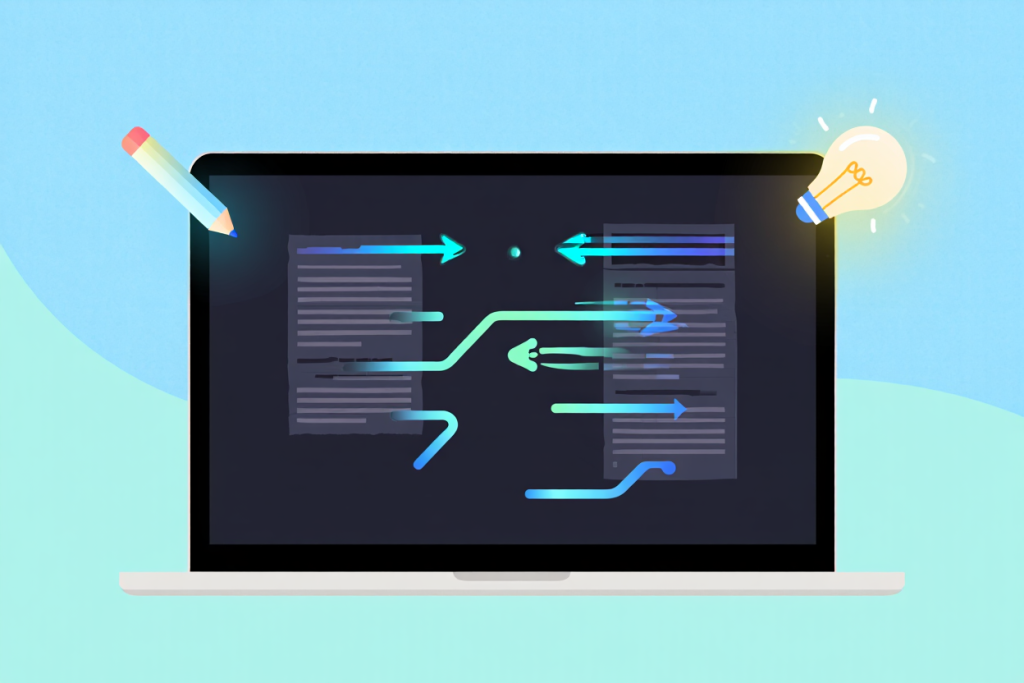
In an age where content is king, writers need tools that boost speed and quality. A paraphrase tool helps you rephrase sentences in fresh, creative ways without changing the original meaning. Whether you’re drafting an essay or polishing a report, these AI-driven tools can transform your text quickly. They automate synonym replacement and sentence restructuring, so you save time on rewriting and focus on your ideas. Paraphrasing tools also help avoid plagiarism by generating unique phrasing. In this guide, we’ll explore what paraphrase tools are, how they work, and how to use them effectively to improve writing.
What Is a Paraphrase Tool?
A paraphrase tool (also called a paraphrasing tool or rewriter) is software that rewrites text in your own words while preserving the original meaning. It does this by substituting synonyms, rearranging sentence structure, or breaking long sentences into shorter ones. For example, instead of “The quick brown fox jumps over the lazy dog”, a paraphrase tool might produce “The swift brown fox leaps over the lazy canine” – the idea is the same, but the wording is different.
These tools range from simple online scripts to advanced AI models. Modern paraphrase tools often use large language models trained on massive text datasets. They “learn” grammar and vocabulary from reading billions of words, then use that knowledge to generate human-like rewrites. Some tools even let you choose a tone or writing style – formal, creative, concise, etc. By automating rephrasing, a paraphrase tool for students or professionals can speed up writing tasks significantly.
Figure: Person writing in a notebook – concept of using a paraphrase tool to improve writing.
How Paraphrase Tools Work
Paraphrase tools apply linguistic algorithms (often AI/ML) to your input text. Simplest tools use rules and thesauri to swap synonyms and shuffle sentence fragments. More advanced tools use neural networks (like GPT or transformer models) that understand context. For example, Ahrefs explains its paraphrase tool uses a language model trained on vast text data to “generate human-like text based on a given input”. In practice, this means the tool analyzes your sentence structure and meaning, then regenerates a new sentence that conveys the same idea. Some tools highlight changes or offer multiple versions per sentence.
Behind the scenes, these tools may break down sentences, identify key phrases, and search for alternative wordings that fit grammatically. Many AI paraphrase tools come with modes or settings – for example, Grammarly’s rewriting suggestions or QuillBot’s “fluent” and “creative” modes. The result is text that feels original. Crucially, good paraphrase tools strive to maintain the original intent while making the writing clearer or more concise.
Key Benefits of Paraphrase Tools
- Save Time on Writing: Automating the rephrasing process lets you draft or revise documents much faster. Instead of manually thinking of synonyms, the tool does it in seconds. This efficiency is a huge advantage for busy students or professionals with tight deadlines.
- Improve Clarity & Readability: Paraphrase tools help simplify complex sentences. They can break down long-winded ideas into shorter phrases or re-arrange awkward wording. The outcome is more readable content. Clearer writing makes your arguments easier to follow and more persuasive to readers. In fact, effective paraphrasing is known to “improve content organization and enhance readability”.
- Overcome Language Barriers: Non-native English writers often struggle with idiomatic phrasing. A paraphrase tool for students can suggest alternative expressions and expand vocabulary. This support means you learn better phrasing while getting your message across correctly. Over time, using these suggestions can strengthen your own writing skills.
- Avoid Plagiarism: By rewriting source material in original language, paraphrase tools reduce the risk of unintentional copying. They generate unique content from existing ideas, which helps keep your work plagiarism-free. However, remember to cite original sources for any facts or quotes. A paraphrase tool encourages rewording, but academic integrity still requires proper attribution.
- Adapt Tone and Style: Many paraphrase tools allow you to select a tone (formal, casual, etc.) or writing mode. For instance, a tool might shorten or expand text, or adjust formality. This flexibility ensures the output matches your audience. For example, you can transform a technical sentence into a more conversational style with a couple of clicks.
- Consistency and Fluency: Advanced tools offer grammar and synonym suggestions to make text sound natural. QuillBot, for example, highlights alternative synonyms and notes how to use them. This not only makes writing consistent but also helps you learn new word choices. Paraphrasing tools often include real-time feedback – for instance, correcting grammar or suggesting synonyms – which refines your text as you work.
Overall, a paraphrase tool is like a smart writing assistant: it handles repetitive rewriting so you can focus on content quality.
Who Uses Paraphrase Tools?
Students and Academic Writers: Paraphrasing tools are popular among students, researchers, and academics. For a student writing an essay or term paper, these tools rephrase research notes into well-written text. They’re especially useful when juggling multiple assignments, as they speed up drafting. Academic tools like Ref-n-Write emphasize avoiding plagiarism in scholarly writing – it recommends always rephrasing text instead of copying it. In fact, Ahrefs notes that such tools can “maintain original meaning” and generate alternative versions to keep work unique, which is crucial in academic writing.
“Paraphrasing tools drastically minimize the effort of manual rewriting, increasing efficiency for students.” (Proofreading AI)
For those writing research papers, a paraphrase tool for research papers is handy. It helps rewrite literature findings or source text into academic language. Many students use free online paraphrase tools (like spinbots) or premium services. Some tools integrate with Word or Google Docs to scan entire drafts. By automatically rephrasing, they free students to concentrate on analysis and ideas.
Content Creators and Professionals: Bloggers, marketers, and business writers also rely on paraphrase tools. In content marketing or SEO, repurposing material without duplicate content penalties is key. Ahrefs points out that content creators use paraphrasing tools to generate unique versions of articles for better SEO rankings. For example, if you have a blog post, a paraphrase tool can reword it for another site or summary post. Professionals use paraphrasers to tweak reports, emails, or proposals for clarity and tone. Even legal and medical writers employ them to translate jargon-heavy text into simpler language. In all cases, the goal is faster writing and maintaining originality.
Writers Learning a Language: Anyone learning English or improving writing can use paraphrase tools. By seeing different ways to say the same thing, learners expand vocabulary and grasp sentence structure. A paraphrase tool acts like an interactive thesaurus and grammar checker in one. You input a sentence, get an alternative phrasing, and learn from the differences. Many non-native speakers find this “bridge” helps their confidence.
Tools for Everyone: Today there are paraphrase tool websites and generators for all needs. From free online tools to advanced AI services, you can find options labeled as paraphrase tool free (with some limits) or paid with extra features. The best choice depends on your needs: students might choose free tools for essays, while professionals might invest in advanced paraphrase tool AI solutions for crisp results.
Popular Paraphrase Tools in 2026
Here are some leading paraphrasing tools (many are available online with free or premium options):
- QuillBot: A top AI-powered rewriter. It offers multiple modes (Fluency, Formal, Creative, etc.) and even a free Chrome extension. Users can adjust how many synonyms are swapped and see detailed usage tips. QuillBot is praised for accuracy and improving flow while preserving meaning. (Also powers Scribbr’s free tool.)
- Wordtune: Known for excellent whole-paragraph rewriting. It provides up to 10 alternate rewrites per paragraph, which is great for fixing disjointed text. Wordtune can intelligently combine sentences to improve flow. Many users like its “Rewrite” and “Formal/Casual” options to quickly adjust tone.
- Grammarly: While famous as a grammar checker, Grammarly now includes rewriting suggestions and tone detection. Its suggestions can rephrase segments to improve clarity. It’s not purely a paraphrase generator, but it helps rewrite sentences within its editor. Grammarly’s strength is ensuring the output is error-free and well-paced.
- Paraphrasing-Tool.com: A free online spinbot with Standard and “Fluency” modes. You get 500 words per use (no signup needed). The Fluency mode produces natural-sounding paraphrases and offers many synonym choices as a dropdown. Users report it handles long or incorrect text quite well. It’s very straightforward for quick rewrites.
- Spinbot: Another free web tool. It offers a “Fluency” mode that fixes grammar and makes text coherent. Spinbot also color-codes changes and allows you to manually swap synonyms for words it changed. Like other free tools, it has word limits, but you can split text into chunks.
- Paraphrase Tool (paraphrasetool.com): Offers a variety of modes (Summary, Shorten, Formal, etc.). The “Summary” mode is notably good at shortening long sentences and merging ideas. It’s free to use. In our tests, the Summary mode turned convoluted drafts into smoother reads. Other modes (Grammar, Smooth) add extra content, so results vary by text. Overall, it’s useful for combining sentences and creating concise content.
- Others to Try: AI platforms like Copy.ai, Jasper, Writesonic include paraphrasing in their feature set. Even ChatGPT or similar LLMs can be used to rephrase prompts. Many dedicated academic tools exist too (Ref-n-Write, Turnitin Rewrite).
Each tool has strengths. Free tools are great for quick edits, but paid versions (or Chrome extensions) often give better fluency and unlimited length. Regardless, all aim to be paraphrase tool generators that help diversify your writing.
Using Paraphrase Tools Without Plagiarism
A paraphrase tool without plagiarism is a key concern. While these tools produce unique wording, ethical use is paramount. Always review the output carefully. Paraphrasing tools are aids – they should supplement your writing, not replace it. Here are some best practices:
- Review and Edit: After paraphrasing, read the result. Make sure the meaning stayed the same and the sentences flow logically. The tool might miss domain-specific terms or make minor mistakes. Adjust anything that sounds off. Remember, you are ultimately responsible for the final content. Proofreading AI warns that excessive reliance can stifle your own style, so use the tool as a first draft.
- Cite Sources: Even if text is paraphrased, any ideas taken from others should be cited. Paraphrase tools do not remove the need to credit original authors. If you paraphrase a journal article or data, include a proper reference or footnote. This maintains academic integrity and avoids accusations of plagiarism.
- Stay Creative: Use the tool’s suggestions as inspiration. For example, QuillBot shows multiple synonyms – pick the ones that fit your voice. If none fit, rewrite in your own style. Don’t just accept the first output. Mix in your own phrasing and ensure the result sounds natural. This keeps your personal style alive.
- Combine Tools: You can paraphrase in stages. Try one tool, then run the result through another to refine it. For instance, run a paragraph through a paraphraser, then through Grammarly to polish grammar. Or use the “shorten” mode first and then rephrase the shortened text for clarity.
- Use Plagiarism Checkers: As a final step, run your text through a plagiarism checker. This confirms the paraphrased text is sufficiently distinct. Many services (like Turnitin or free checkers) will highlight if too many phrases match a source. It’s a good safety net.
By balancing tool use with critical editing, you get the benefits of faster writing without plagiarism issues. As Ref-n-Write puts it, paraphrasing tools provide suggestions and speed but the final product is still up to the user.
SEO & Optimization Benefits
Beyond writing itself, paraphrase tools can help with SEO (search engine optimization). By rewriting content, they avoid duplicate content penalties. As Ahrefs notes, content creators use paraphrasing tools to generate unique articles and improve search rankings. For example, you might paraphrase a generic blog post to make it original for your site. Also, paraphrasing can help incorporate LSI keywords (related terms) naturally.
From an SEO standpoint, a paraphrase tool online can help you produce fresh meta descriptions, social media snippets, or category pages without rewriting everything manually. Just ensure to revise for keyword placement – for instance, you can ask the tool for a more concise or more keyword-rich version. In summary, using a paraphrasing tool free or premium can streamline content creation workflows, maintain originality, and ultimately boost SEO performance.
Tips for Getting the Most from Paraphrase Tools
- Start with Clean Text: Input well-structured sentences. If your grammar is off, the tool might produce odd results. Correct your base text first (or use a grammar checker), then paraphrase.
- Use Multiple Modes: If available, try different modes (e.g. formal, creative). Compare outputs and choose the best. For example, QuillBot and Wordtune let you switch modes to fine-tune the style.
- Shorter Chunks Work Better: Very long paragraphs may not rephrase smoothly. Break text into sentences or short paragraphs, then paraphrase each piece. This often yields more accurate rewrites.
- Maintain Keywords: If SEO is important, make sure your key terms remain present. Most tools keep core terms intact, but double-check that your primary keywords (like paraphrase tool, writing improvement) still appear as needed.
- Combine Human Creativity: After paraphrasing, add your own touches. Maybe insert an example, analogy, or personal voice. This further distances the text from the original source and adds value.
With these strategies, a paraphrase tool for essays or articles becomes a powerful ally. It accelerates drafting and teaches you new phrasing, while your editing ensures the output is high-quality and original.
Figure: Student writing in a notebook – illustrating the use of a paraphrase tool to improve essay writing.
Conclusion
A good paraphrase tool is like a writing coach that works instantly. It can significantly improve writing fast by saving you time and enhancing clarity. From helping students complete essays to aiding professionals in creating unique content, these tools have become indispensable. By rephrasing text intelligently, they maintain your meaning and reduce plagiarism risk. Always remember, though, that the tool’s suggestions need your human touch – editing and citing properly ensures the final piece truly shines.
In 2026, paraphrase tools (especially AI-powered ones) are more sophisticated than ever. They integrate with word processors and browsers, making rewriting seamless. Use them to boost productivity, learn better writing, and keep your content fresh. Try out a free paraphrase tool today and watch how it helps you write faster and smarter.
FAQs (Frequently Asked Questions)
- What is a paraphrase tool? A paraphrase tool is software that rewrites text in your own words while keeping the original meaning. It automatically replaces words and restructures sentences so your writing is fresh and clear.
- Is using a paraphrase tool plagiarism? Not if used correctly. Paraphrasing tools produce unique phrasing, but you must still credit ideas to the original sources. Always cite references and review the output. The tool helps rewrite text, but ethical writing still requires proper attribution.
- Are paraphrase tools free to use? Many paraphrase tools offer free versions or trials. For example, QuillBot and Spinbot have free modes with word limits. Scribbr and Grammarly also offer free paraphrasing features. Premium plans unlock more features (unlimited words, advanced modes). You can start with a free paraphrase tool online and upgrade as needed.
- Can paraphrase tools improve my academic writing? Yes. They can help students and academics refine wording and avoid plagiarism. Tools like Ref-n-Write are specifically designed for research writing. By rephrasing complex ideas into simpler language and ensuring correct style, paraphrase tools can make essays and papers more polished. However, always edit the results to align with academic standards.
- Should students rely on paraphrase tools? Paraphrase tools are useful aids but shouldn’t replace learning to write. They’re great for saving time and learning new vocabulary, but students should also practice manual paraphrasing and critical thinking. Using these tools responsibly—as suggested by [Ref-n-Write] and writing guides—helps students improve while maintaining their own voice.
If this guide helped you, try out a paraphrase tool on your next writing task. Share your experiences or questions in the comments below – and feel free to share this article on social media to help other writers boost their skills!